Account assets are hard to audit
Session files, account purpose, and login health often live in separate folders and spreadsheets.
Built for agencies, global teams, and community operators managing tens or hundreds of Telegram accounts. StarCore goes beyond opening more client windows by connecting account assets to network routes, tasks, and operational history.
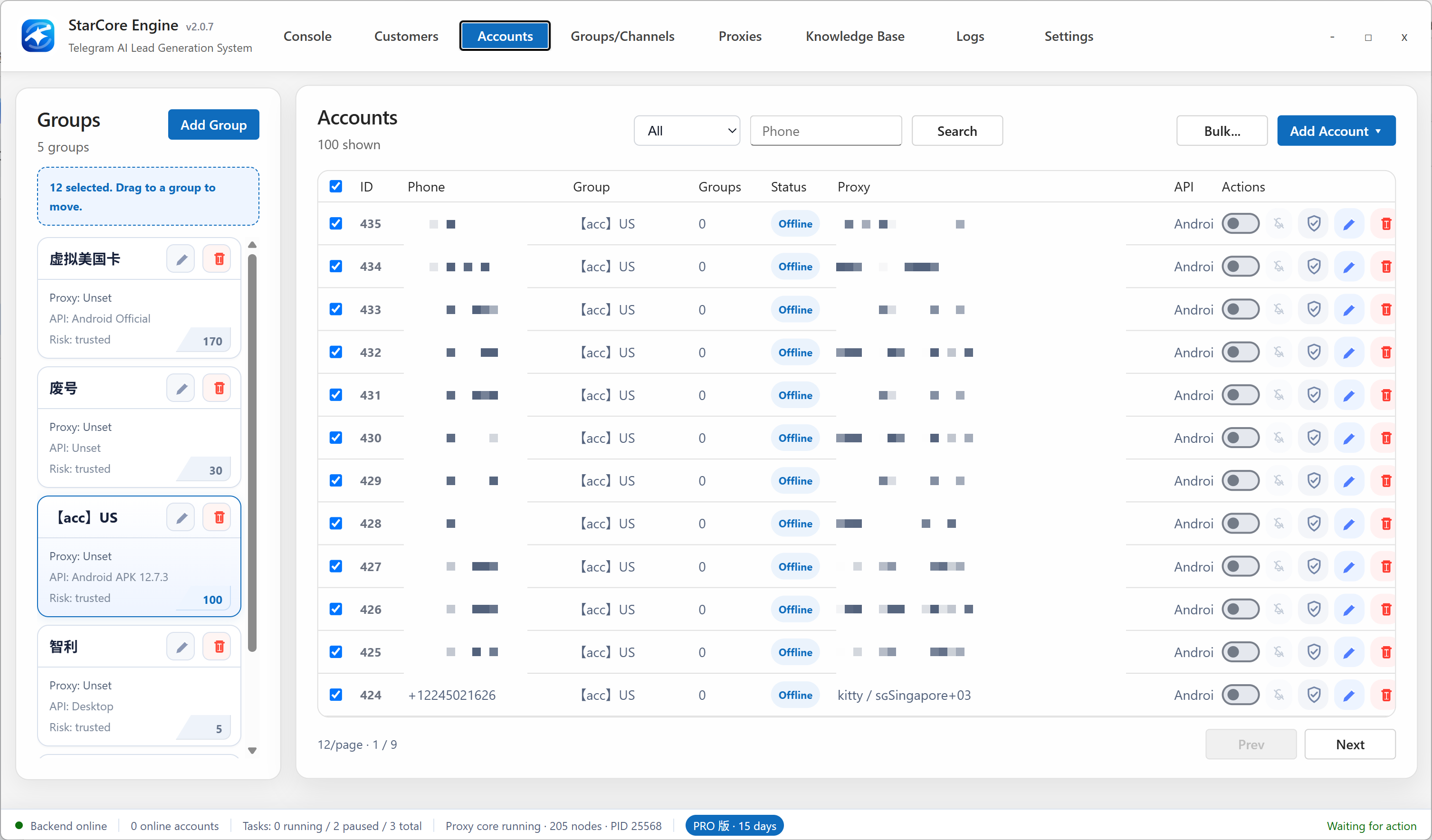
Telegram's official client works well for switching between a small number of personal accounts. At larger scale, teams need to know which sessions are valid, which route each account uses, which task has claimed an account, and why an execution failed. Multiple windows do not provide that operating context.
StarCore brings code-based login and imported sessions into one account vault. Teams can tag and group accounts, bind an isolated proxy route, assign eligible accounts to monitoring, collection, messaging, invite, or warming tasks, and review results in a shared local log.
Session files, account purpose, and login health often live in separate folders and spreadsheets.
Accounts reusing the same network route can fail together and are harder to isolate during incidents.
Logging in is not the same as assigning healthy accounts to persistent monitoring and outreach tasks.
Import existing sessions or create a login with phone verification, then store status, notes, groups, and tags together.
Bind SOCKS5 or HTTP routes to individual accounts, test availability, and reduce shared-environment risk.
Build pools by market, business line, or risk level and assign eligible accounts without accidental overlap.
Review account, authorization, proxy, and task state; use logs to pause, replace, or restore resources.
Keep accounts, groups, contacts, customers, and execution history in a local SQLite database you control.
Import sessions or complete phone verification, then add tags and operational purpose.
Bind and test a proxy for each account, grouping routes by region or business use.
Select eligible accounts for monitoring, collection, messaging, invites, or warming.
Use task results, limit signals, and proxy health to rotate accounts with a complete audit trail.
The official client is designed for a small number of accounts. At larger scale, sessions, routes, health, task ownership, and logs become the main operating problem.
No. It includes account login and session management, but also connects accounts to proxy routes, task scheduling, group assets, customer data, and audit logs.
Yes. Accounts can bind separate SOCKS5 or HTTP proxies. Test each route before execution and group routes by geography and purpose.
No. StarCore helps control routes, pacing, groups, and records, but teams must still follow Telegram rules and use appropriate operating limits.
Monitor Telegram groups for demand signals, qualify context with AI, and save relevant users, source messages, and follow-up history in a local database.
TELEGRAM GROUP MESSAGINGRun controlled Telegram multi-group messaging with target imports, account pools, time windows, script rotation, AI context, and auditable failure logs.
Confirm account health, routes, target groups, and task pacing before scaling.
Download StarCore Engine